iPhone · iOS 17 or later

Your camera roll is already a fishing log.

SpotStash finds the fish photos on your iPhone, reads the GPS coordinates your camera quietly saved with each one, and gives you back a map of every spot that produced — plus the GPX and CSV files to take it back out on the water.

One purchase, no subscription No account, no servers GPX + CSV export
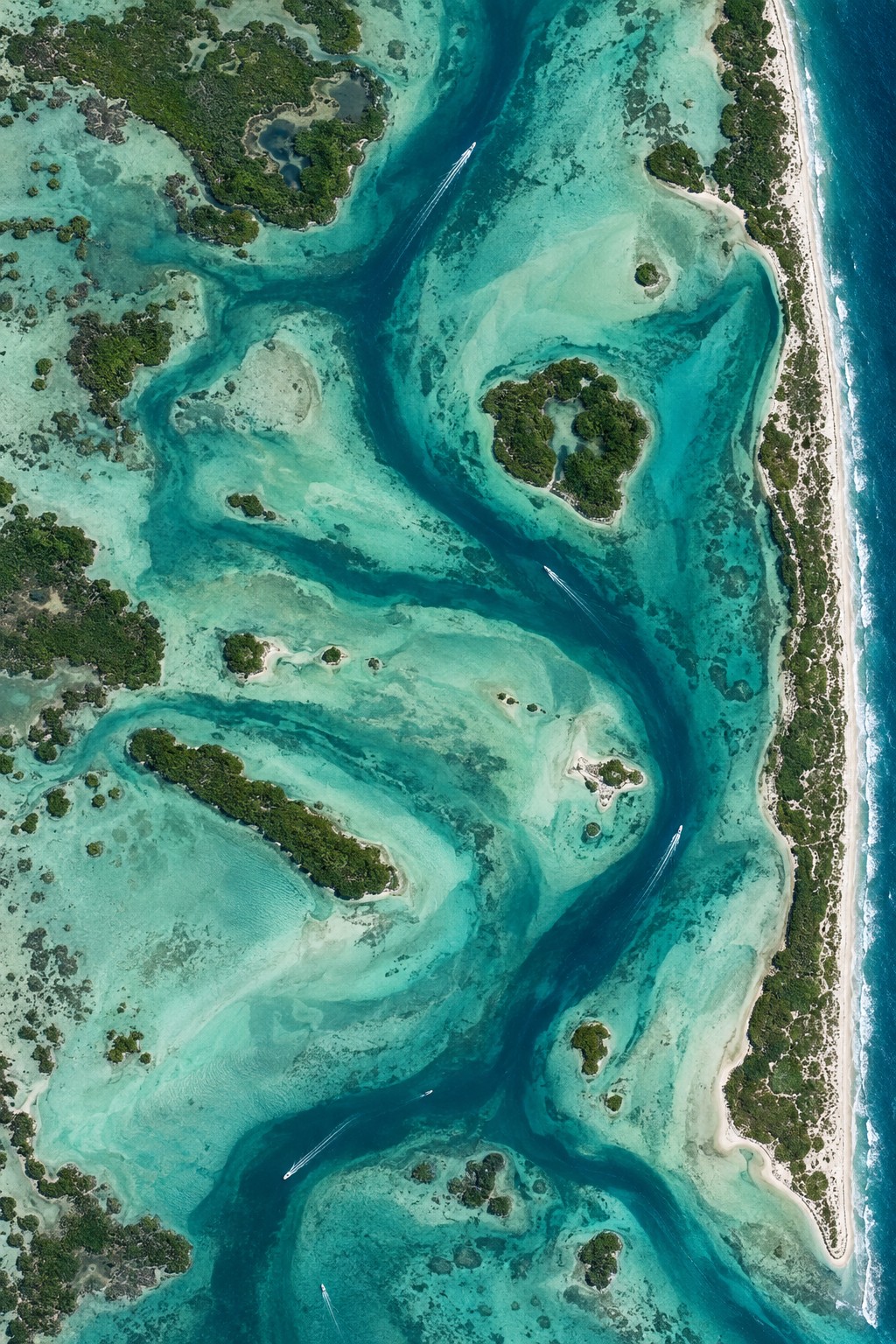
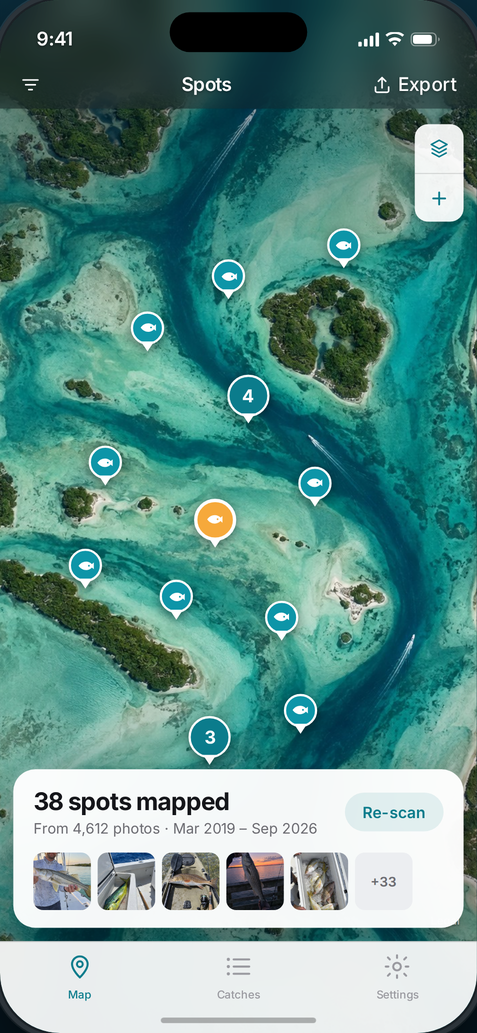
SpotStash's map screen showing fishing spots pinned across a shallow coastal bay
4,612 photos read · 38 spots
25.1412, −80.9236 · snook
0 bytes sent off this phone

The whole idea

Photos in. Waypoints out.

You already did the logging. Every time you photographed a fish, your iPhone wrote the coordinates into the file.

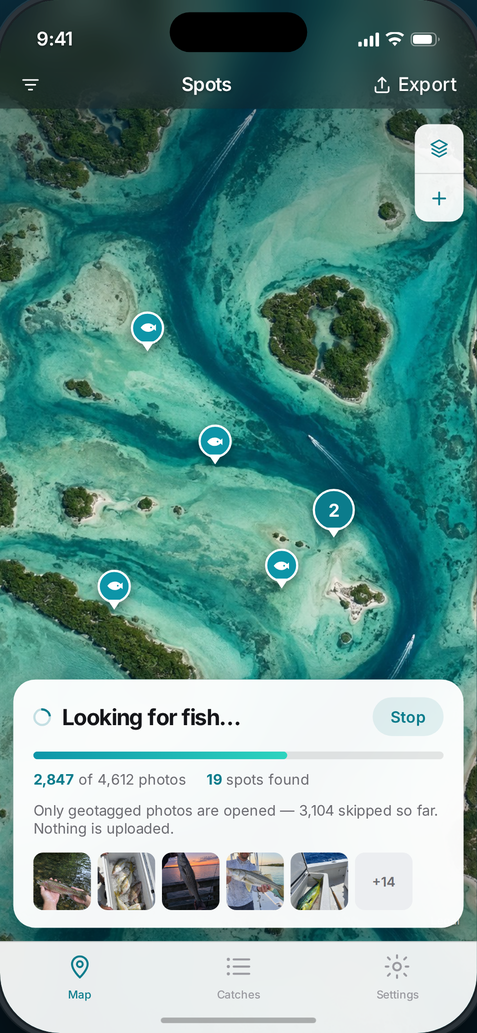
01 It reads the libraryOnly photos carrying a GPS tag get opened — on a normal camera roll that rules out most of it before any work happens.
02 It recognises the fishApple's on-device vision model looks at each candidate. Deck shots, net shots, cooler shots and fillet shots all count.
03 It drops the pinCoordinates, date and time come straight from the photo's own metadata. Nothing is estimated and nothing is guessed.
Scroll — 4,612 photos scanned
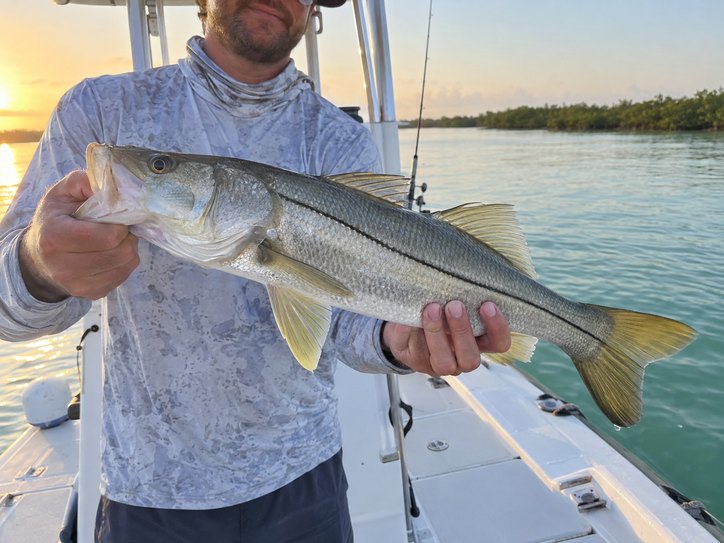
Snook held on a boat deck at sunrise
25.1412, −80.9236
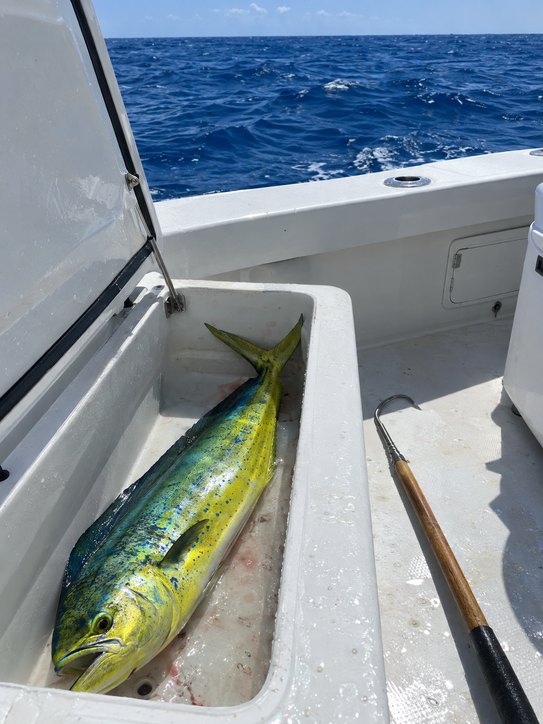
Mahi-mahi in an offshore boat's fish box
24.8961, −80.5417
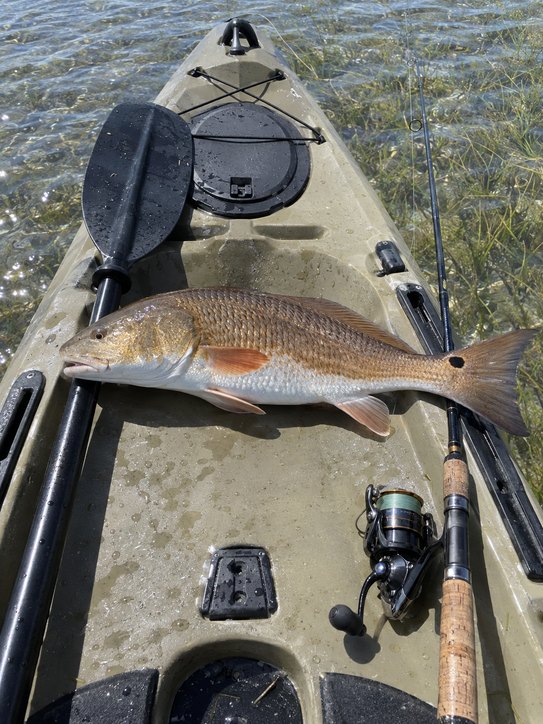
Redfish on a kayak deck over a grass flat
27.6108, −82.7403
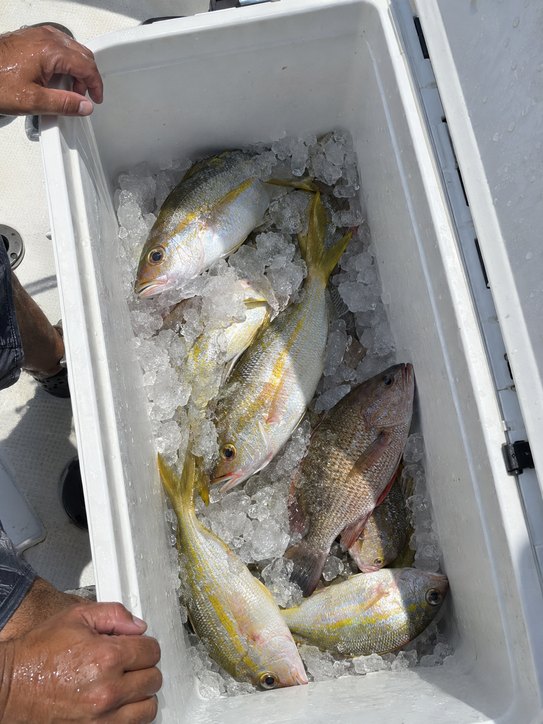
Snapper on ice in a cooler
24.9021, −80.6288
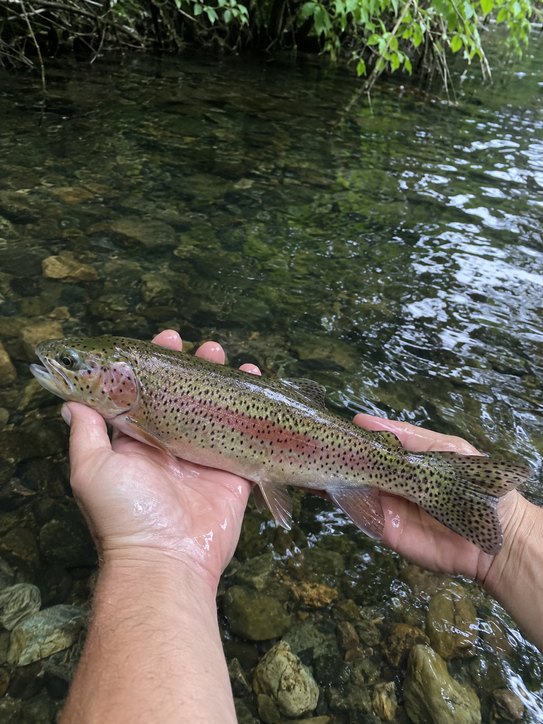
Rainbow trout held above a river
35.2794, −82.7361
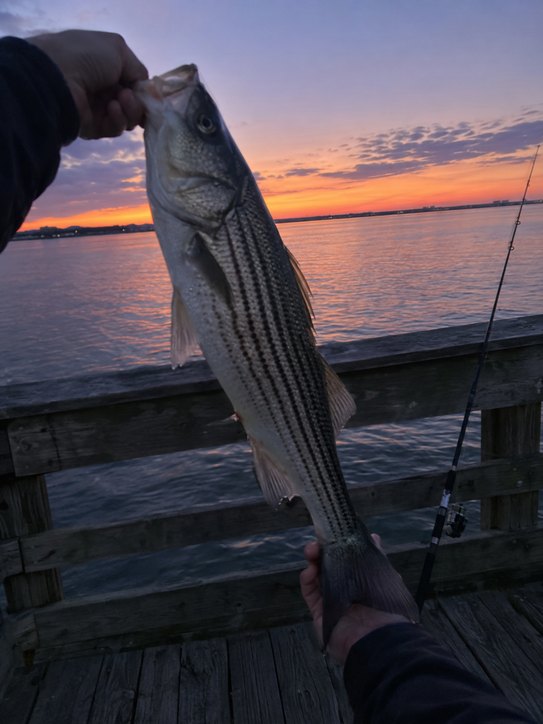
Striped bass held up at dusk on a pier
25.9481, −80.1204

Four screens, that's the whole app

Small on purpose. Nothing to maintain.

No trip forms, no waypoint naming, no remembering to log anything before you leave the dock. The work was done the moment you took the picture.

01 Scan

Minutes, not hours

SpotStash checks each photo's location tag first and skips anything that has none, so a library of thousands is read in minutes rather than ground through one image at a time.

  • Runs on the Neural Engine, four photos at a time
  • Re-scans only look at photos they haven't seen
  • Works with the phone in your pocket
02 Review

You decide what counts

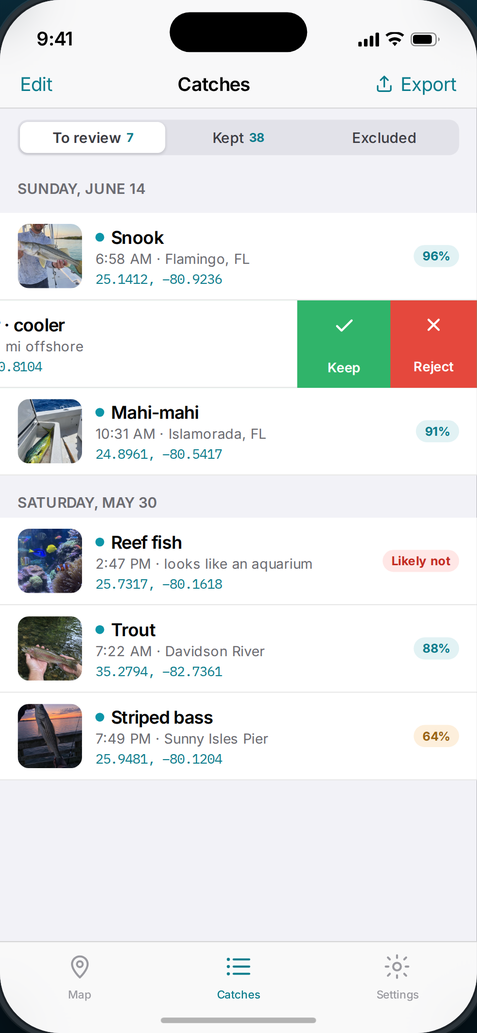
Every detection lands in a review queue with its photo, confidence and coordinates. Swipe to keep or reject. Aquarium photos, screenshots and pictures saved off the internet are flagged before they ever reach your map.

  • Sensitivity slider from "only sure things" to "every maybe"
  • Add notes: bait, tide, depth, water temperature
  • Your decisions survive every future re-scan
03 Export

Files your gear accepts

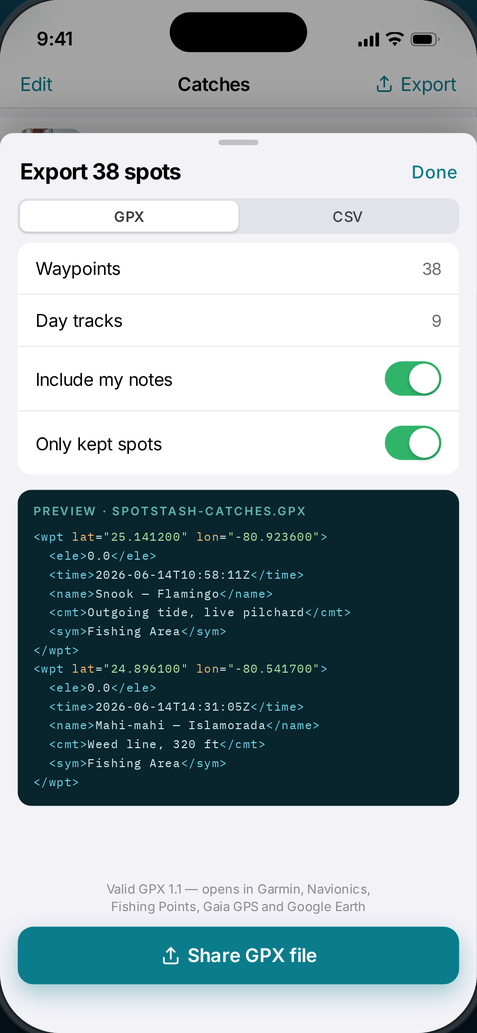
Valid GPX 1.1 waypoints, plus one optional track per fishing day so a run reads as a route instead of a scatter of dots. Or CSV, straight into a spreadsheet.

  • Garmin, Navionics, Fishing Points, Gaia GPS, onX, Google Earth
  • Coordinates, elevation, timestamp, species, confidence, accuracy, notes
  • AirDrop, Files, email, or any app on your phone
04 Private

No network code at all

There is no sign-in, no sync and no analytics, because there is no server on the other end to talk to. A file leaves your phone only when you tap Share and choose where.

  • Every App Privacy answer is "Data Not Collected"
  • No third-party SDKs bundled
  • Delete the app and the results go with it
SpotStash scanning a photo library, showing progress and spots found
SpotStash's review queue with a row swiped open to keep or reject a catch
SpotStash's export sheet previewing the GPX file it will write
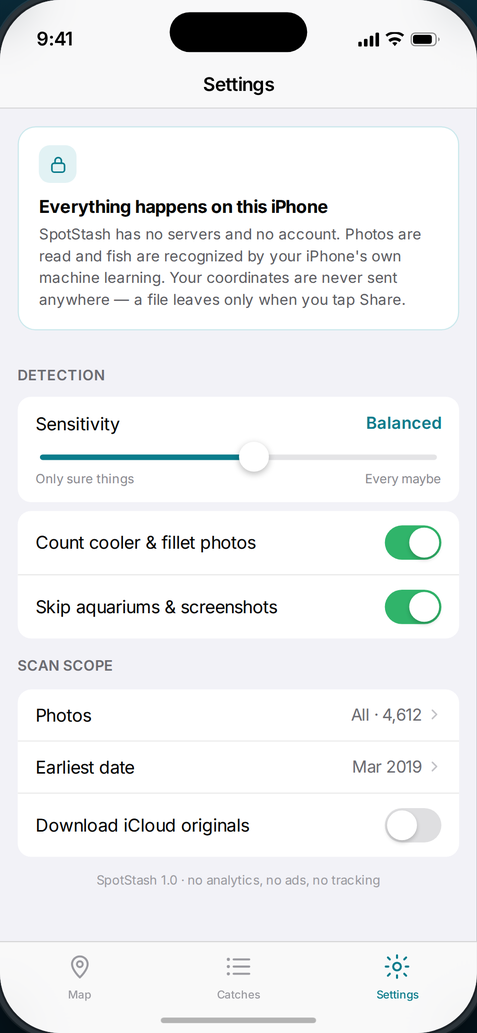
SpotStash's settings screen explaining that everything happens on the iPhone

Exports

Written to the spec, not to a spec sheet.

SpotStash's GPX output validates against the official GPX 1.1 schema from Topografix, child elements in the exact order the schema fixes. That is the difference between a file that opens and a file your chartplotter silently rejects.

Garmin chartplotters
Navionics Boating
Fishing Points
Gaia GPS & onX
Google Earth
Excel, Numbers, My Maps
SpotStash-catches.gpx
<wpt lat="25.141200" lon="-80.923600">
  <ele>0.0</ele>
  <time>2026-06-14T10:58:11Z</time>
  <name>Snook — Flamingo</name>
  <cmt>Outgoing tide, live pilchard</cmt>
  <sym>Fishing Area</sym>
</wpt>
<trk>                        <!-- one per fishing day -->
  <name>June 14, 2026 — 4 catches</name>
  <trkseg></trkseg>
</trk>

Before you buy

Three things it can't do for you.

Every fishing app promises magic. This is the part that decides whether SpotStash is worth $6.99 to you, so it's on the sales page rather than buried in a support article.

No GPS tag, no pin

Photos taken with camera location turned off, most screenshots and pictures other people sent you usually carry no coordinates. Nothing can recover that after the fact — not SpotStash, not anything else.

It needs All Photos access

iOS "Selected Photos" mode hides most of your library from every app, SpotStash included. Full access is the only way a whole-library scan is possible — and the app has nowhere to send what it reads.

It names types, not every species

Apple's classifier knows fish, trout, snapper and tuna. It will not tell a tarpon from a permit. You can rename any spot yourself, and species-level recognition is what the next version is for.

Privacy

Fishing spots are worth money.
Treat them that way.

Most apps that map your catches want you to sign in first. That account exists so your coordinates can sit on someone else's server. SpotStash doesn't have an account, because it doesn't have a server.

Reading the photos and recognising the fish both happen on your iPhone, on the machine-learning hardware already in the chip. The only time anything moves is when you tap Share and pick a destination yourself.

Account requiredNone
Network requests madeZero
Analytics & crash SDKsNone
Advertising & trackingNone
Photos uploadedNever
App Privacy labelData Not Collected
Where results are storedOn device only

Read the full privacy policy — it is shorter than this page.

Price

Buy it once. That's the whole model.

SpotStash for iPhone

$6.99one time

No subscription, no in-app purchases, no ads, no upsell screen.

  • Unlimited scans of your whole library
  • Unlimited GPX and CSV exports
  • Notes, day tracks and review history
  • Free updates, including species recognition when it ships
Get SpotStash on the App Store

Requires iPhone with iOS 17 or later. Works offline. Needs photos that carry GPS coordinates.

Questions

The ones people actually ask.

How does it know which photos have fish in them?
Apple's Vision framework ships an image classifier with roughly 1,300 labels, and it runs entirely on the phone. SpotStash reads a small thumbnail of each geotagged photo and weighs several groups of labels: fish species, caught-seafood terms like cooler and fillet, fishing-scene terms like boat, dock and pier that let a weak fish match through, and veto terms like aquarium, fishtank and screenshot that rule a photo out. You set how strict that is with a slider.
Will it dig through photos that have nothing to do with fishing?
It opens only photos that already carry a GPS tag, and it looks at a downscaled thumbnail rather than the full image. Nothing it sees is stored, described or sent anywhere — the only output is a list of coordinates you then review by hand.
My photos live in iCloud. Does that work?
Yes. Coordinates and dates live in the metadata that stays on your phone even when the full-resolution image doesn't, so those spots map immediately. For photos whose pixels were offloaded, there's a setting to pull originals down during a scan — off by default, since it uses data.
Can I get my spots out if I stop using the app?
That's the point of it. Export GPX or CSV any time, as many times as you like, and the files are yours with no lock-in. Nothing is stored in a format only SpotStash can read.
Does it work for freshwater, kayak and pier fishing?
Yes — any photo with coordinates works the same way, whether it was taken on a center console offshore, from a kayak on a grass flat, or standing on a pier at dusk. Trout in a river map exactly like a mahi in a fish box.
Will there be an Android version?
Not right now. The whole app is built on Apple's photo and vision frameworks, which is what makes an on-device, no-server design possible in the first place. An Android build would be a rewrite rather than a port.
Something isn't working. Who answers?
A person does — see the support page. Send the iPhone model, the iOS version and what you expected to happen, and you'll get a real reply.
SpotStash

Pull up the map before your next trip and see what you'd forgotten.